Apakah pengertian gaya gravitasi bumi?
Gaya gravitasi bumi atau arti gaya tarik bumi adalah suatu gaya
tarik-menarik yang terjadi pada semua partikel yang mempunyai massa.
Jika di bumi, gaya gravitasi bumi disebabkan karena bumi yang berukuran
besar memiliki massa yang juga besar sehingga dapat menarik semua benda
yang berada di atasnya.
Besar gaya gravitasi bumi yang menyebabkan benda-benda di atasnya tertarik ini disebut besar gaya tarik bumi atau besar gravitasi. Tidak heran kalau semua benda yang ada dipermukaan bumi akan terengaruh oleh gaya gravitasi bumi.
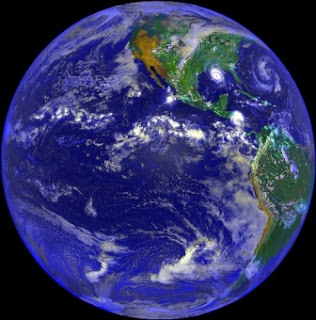
Contoh gaya gravitasi bumi adalah benda-benda langit yang ikut tertarik oleh bumi, misalnya bulan atau meteor yang terkena gaya gravitasi bumi. Pengaruh gaya gravitasi bumi pada bulan menyebabkan bulan beredar pada porosnya, demikian juga benda langit lain seperti pesawat astronot dan juga siklus terjadinya hujan.
Secara umum, gaya gravitasi pada benda-benda angkasa seperti planet bumi, dapat dirumuskan menggunakan hukum gravitasi universal Newton, rumusnya adalah sebagai berikut:
Hukum Gravitasi Universal Newton

Besar gaya gravitasi bumi yang menyebabkan benda-benda di atasnya tertarik ini disebut besar gaya tarik bumi atau besar gravitasi. Tidak heran kalau semua benda yang ada dipermukaan bumi akan terengaruh oleh gaya gravitasi bumi.
Contoh gaya gravitasi bumi adalah benda-benda langit yang ikut tertarik oleh bumi, misalnya bulan atau meteor yang terkena gaya gravitasi bumi. Pengaruh gaya gravitasi bumi pada bulan menyebabkan bulan beredar pada porosnya, demikian juga benda langit lain seperti pesawat astronot dan juga siklus terjadinya hujan.
Secara umum, gaya gravitasi pada benda-benda angkasa seperti planet bumi, dapat dirumuskan menggunakan hukum gravitasi universal Newton, rumusnya adalah sebagai berikut:
Hukum Gravitasi Universal Newton
F adalah besar dari gaya gravitasi antara kedua massa titik tersebut
G adalah konstanta gravitasi
m1 adalah besar massa titik pertama
m2 adalah besar massa titik keduar adalah jarak antara kedua massa titik
g adalah percepatan gravitasi = 
